# Yes!

x = 1
if x == 2:
    print("x=2")
elif x == 1:
print("x=1")x=1Welcome to UQ Python User Group! Check out our general info for how we work and what we do. Below you’ll find the details of this month’s gathering.
Welcome to the April UQ PUG! Today we continue our 9-month series through The Python Tutorial.
This month, we’ll look at sections 4.1-4.7: More Control Flow Tools.
You can also add questions to our interactive document.
If you’d like to receive regular updates and post questions during the month, join our Teams channel!
We offer Python training sessions and resources, you can find our introductory guide here.
| What’s your name? | Where are you from? | Why are you here? |
|---|---|---|
| Name | Organisation/School | Reason for coming |
| Cameron | Library + SMP | Teach and help out with all things Python |
| Damchen | Master of Data Science | Wanted to learn Python more |
| Νayomi | Medicine | Refresh myself with the python basics to use python in image data analysis |
| Irene | Health and Rehabilitation Science | learn Python for future data analysis and research (eg machine learning) |
| Zhuan Yi Neoh | QAAFI | Using python for data analysis and statistics analysis |
| Steph | Library | Here to learn, and help if I can :) |
If you have any Python questions you’d like to explore with the group, please put your question and name in the sections below.
If you think you can help, feel free to contribute to the answers section!
if…, elif… without else?Can we use an if and elif without else?
# Yes!
x = 1
if x == 2:
print("x=2")
elif x == 1:
print("x=1")x=1for loopWhy is the iterable of a for loop modifyable?
It’s because, behind the scenes, a for loop converts the iterable into an iterator, and then calls next(...) on that iterator at the end of each iteration.
Best illustrated with an example.
Take the following loop:
nums = [1,2,3]
for i in nums:
    print(i)
1
2
3Behind the scenes, it
nums with iter(nums)i the first value in the iterator with next(<iterator>)i the next value in the iterator with next(<iterator>) and runs the next iterationnext loop until next(<iterator>) yields a StopIteration errorWriting this out manually,
nums = [1,2,3]
it = iter(nums) # 1.

# First iteration
i = next(it)
print(i)

# Second iteration
i = next(it)
print(i)

# Third iteration
i = next(it)
print(i)

# Fourth iteration (nothing left in nums)
i = next(it)
1
2
3--------------------------------------------------------------------------- StopIteration Traceback (most recent call last) Cell In[4], line 17 14 print(i) 16 # Fourth iteration (nothing left in nums) ---> 17 i = next(it) StopIteration:
When you actually run the loop, instead of printing the StopIteration error it quits the loop.
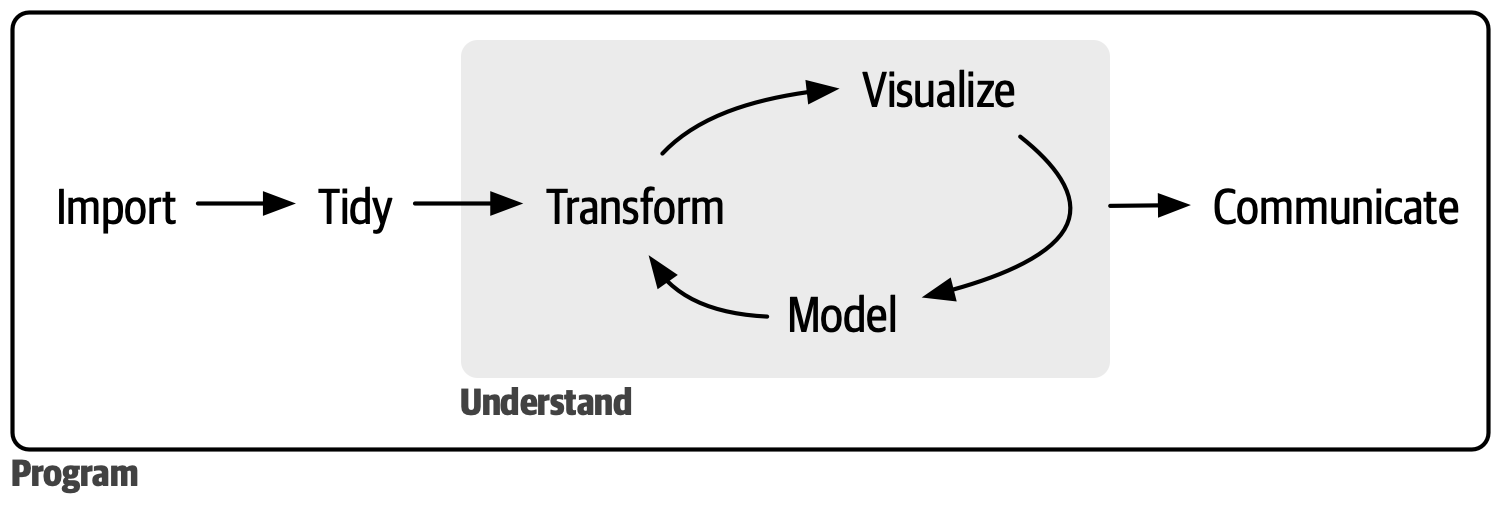
Advice for a good workflow of using Python (i.e. a flowchart of steps for data science, and how to make sure code is right)
We had a bit of a discussion with a few ideas.
some_project_folder/
    data/
        data_1.csv
        data_2.csv
    plots/
        plot_1.png
        plot_2.png
    analysis_1.py
    analysis_2.py
common_functions.pyimport common_functions